ARTIFICIAL INTELLIGENCE
Claude Code Tutorial: Automate Refactoring with /simplify and /batch Commands
Discover how advanced Claude Code AI commands streamline code reviews and large-scale migrations, boosting development efficiency and code quality.
- Read time
- 7 min read
- Word count
- 1,552 words
- Date
- Mar 28, 2026
Summarize with AI
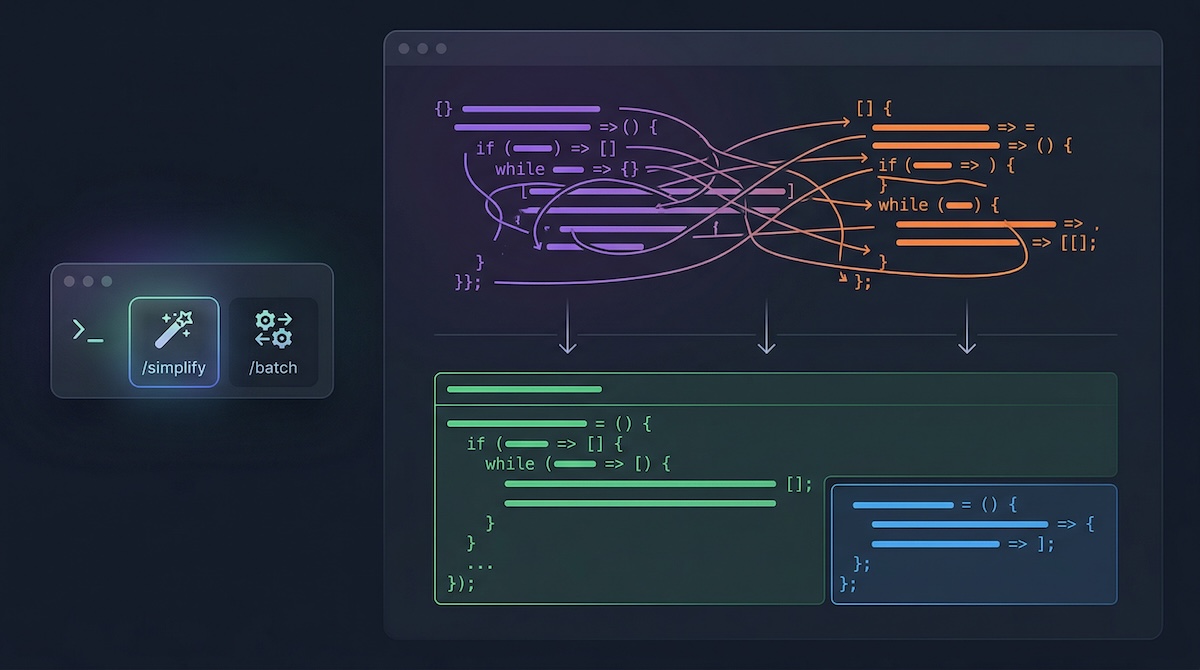
Two powerful Claude Code commands, /simplify and /batch, are transforming code development workflows by automating critical tasks. The /simplify command enhances code quality by conducting a three-agent review of recent changes. Meanwhile, the /batch command facilitates large-scale codebase migrations by orchestrating multiple AI agents in parallel. These Claude Code tools significantly reduce manual effort and improve code consistency.
🌟 Non-members read here
Claude Code Accelerates Development with New Simplification and Batch Features
Modern software development often faces challenges in maintaining code quality and efficiently executing large-scale refactoring or migrations. Developers frequently encounter duplicated logic, inefficient patterns, and inconsistencies that can lead to technical debt. Addressing these issues manually consumes significant time and effort, slowing down the development cycle.
Two innovative Claude Code commands, /simplify and /batch, have emerged as critical tools for streamlining these complex processes. These commands leverage advanced Anthropic AI agents to automate code reviews and manage extensive codebase changes. By integrating these Claude Code features, developers can significantly enhance productivity and ensure higher code quality, moving from implementation to deployment with greater speed and reliability.
Revolutionizing Code Review with the Claude Code /simplify Command
The /simplify command offers an automated solution for post-implementation code cleanup within Claude Code. Designed to be executed immediately after a feature or bug fix is implemented, this command thoroughly reviews recent changes to improve code quality, efficiency, and reusability. It operates by first identifying all modified files, typically by examining git diff or recently altered files if no git changes are present.
Following this initial scan, the /simplify command launches three specialized Claude Code review agents simultaneously. Each agent focuses on a distinct aspect of code improvement, ensuring a comprehensive evaluation. This multi-faceted approach helps to catch a broad spectrum of issues that might otherwise go unnoticed.
How /simplify Works in Detail
The command initiates a parallel review process involving three dedicated Claude Code agents:
- Code Reuse Agent: This agent meticulously scans for duplicated logic and redundant patterns. Its primary goal is to identify existing utilities or abstractions that could replace newly written code. It also flags duplicate functions across different files, instances of hand-rolled string or path manipulation where helper functions could be used, and inline logic that should leverage existing abstractions.
- Code Quality Agent: Focusing on readability, structure, and adherence to conventions, this agent targets issues like redundant state, excessive parameters in functions, and slight variations in copy-pasted code. It also looks for leaky abstractions, which expose implementation details unnecessarily, and “stringly-typed” code where raw strings are used instead of defined constants.
- Efficiency Agent: This agent concentrates on performance optimization and resource utilization. It identifies unnecessary computational work, missed opportunities for concurrency, and expensive logic within tight loops (hot-path bloat). Additionally, it detects time-of-check/time-of-use (TOCTOU) anti-patterns, potential memory leaks, and overly broad operations that read entire files when only specific portions are required.
Upon completion of their parallel analyses, /simplify aggregates the findings from all three agents. It then automatically applies fixes for valid issues, intelligently skipping any findings it determines to be false positives. The user receives a concise summary of the applied changes or a confirmation that the code was already optimal. This process transforms code from “it works” to “it is ready to merge” by automating a crucial code review step that historically required significant manual effort.
Strategic Applications of /simplify
The optimal time to deploy the /simplify command in Claude Code is immediately after completing a coding task, particularly before opening a pull request. This ensures that the code is refined and meets quality standards proactively. Specific scenarios where /simplify proves invaluable include:
- Post-Feature Implementation: Cleaning up the codebase after developing new features helps maintain a high standard before peer review.
- After Bug Fixes: It ensures that quick fixes do not introduce new inefficiencies or shortcuts into the code.
- Refining Prototypes: When experimental code is deemed valuable enough to be integrated into the main codebase,
/simplifycan tighten it up. - Pre-Pull Request: Catching and resolving issues early can prevent them from being flagged by human reviewers, accelerating the review and merging process.
The command also supports optional parameters, allowing developers to focus the review on specific concerns, such as memory efficiency, error handling, or database query patterns. This targeted approach is beneficial when a particular area requires extra scrutiny without needing a lengthy, context-rich prompt.
It is important to note that /simplify operates at a higher level than linters or formatters. While tools like ESLint or Biome handle syntax and style, Claude Code addresses architectural decisions, code structure, and algorithmic efficiency. It complements these existing tools by tackling issues beyond their scope. Furthermore, it is not a general-purpose refactoring tool but rather focuses on improving recently changed files. For broader, codebase-wide transformations, a different command is utilized.
Orchestrating Large-Scale Changes with the Claude Code /batch Command
For more extensive transformations, such as migrating an entire codebase to a new framework or applying a consistent change across numerous files, the Claude Code /batch command provides a robust, parallelized solution. This command simplifies complex, large-scale changes into a single, straightforward instruction. It triggers a sophisticated orchestration agent that manages the entire lifecycle of the transformation, from initial research and planning to execution and pull request creation.
The command interface is user-friendly, allowing developers to simply describe the desired change. For instance, commands like /batch migrate from react to vue or /batch replace all uses of lodash with native equivalents initiate complex, multi-stage processes. Under the hood, the orchestrator executes a meticulously designed three-phase loop to manage these transformations.
The Three Phases of /batch Execution
The /batch command employs a structured three-phase process to ensure efficient and controlled execution of large-scale changes:
Phase 1: Research and Plan: The orchestrator enters a planning mode, deploying specialized Explore agents. These agents conduct in-depth research to identify all relevant files, code patterns, and call sites that will be affected by the instruction. Based on this research, the work is decomposed into 5 to 30 self-contained units. Each unit is designed to be independently implementable within an isolated worktree and mergeable without dependencies on other units. The orchestrator also devises an end-to-end verification recipe, which could involve browser automation, CLI testing, or running the existing test suite. If a verification path cannot be determined, the orchestrator prompts the user for input before proceeding, ensuring controlled progress.
Phase 2: Spawn Workers: Once the plan is approved by the user, the orchestrator launches one background agent for each decomposed unit of work. All agents run in parallel within a single message block. Each agent is provided with an isolated git worktree, ensuring a clean and independent working environment. Their prompts are self-contained, detailing the overall goal, specific task, and codebase conventions identified during the research phase. The end-to-end test recipe and worker instructions are also included. After implementing its assigned changes, each worker automatically runs /simplify on its modifications, executes the test suite, commits the changes, pushes them to the repository, and creates a pull request using gh pr create.
Phase 3: Track Progress: Throughout the execution, the orchestrator maintains and updates a status table. This table tracks the progress of each agent, pulling pull request URLs from their outputs. Upon completion, a final summary is provided, indicating how many units were successfully landed as pull requests. The use of isolated worktrees is fundamental to this process, preventing merge conflicts and ensuring that each Claude Code agent work is independent, testable, and reviewable.
Strategic Uses and Limitations of /batch
The /batch command is particularly effective for parallelizable tasks where numerous files require similar, independent changes. Examples include:
- Framework Migrations: Converting components from one JavaScript framework to another.
- API Contract Changes: Updating all callers when an interface or API definition changes.
- Convention Enforcement: Applying naming conventions, standardizing error handling, or enforcing specific patterns across the codebase.
- Dependency Swaps: Replacing one third-party library with another across all usage sites.
- Test Generation: Automatically adding test coverage to modules lacking adequate testing.
However, /batch is not suitable for tightly coupled changes where the output of one unit directly affects another, or for exploratory refactoring where the final state is not yet defined. It is also overkill for single-file changes. For such coordinated multi-agent tasks, standard development sessions or agent teams are more appropriate. A critical requirement for /batch is a git repository, as it heavily relies on git worktrees and pull request creation.
Integrating /simplify and /batch for Optimal Workflow
While /simplify and /batch address different needs, they are designed to complement each other seamlessly within the Claude Code ecosystem. /simplify acts as an automated code reviewer for individual changes, polishing code after implementation, whereas /batch functions as a migration team, executing large-scale, planned transformations.
A key integration point is that every /batch worker automatically runs /simplify on its changes before committing. This means that every pull request generated by /batch has already undergone the rigorous three-agent review process, ensuring a consistent level of quality across all changes. This built-in integration eliminates the need for manual chaining of these commands.
Developers are encouraged to make /simplify a standard practice before every pull request, as it consistently identifies multiple issues that human reviewers might miss. When using /batch, being highly specific in the command description is crucial for accurate decomposition and execution. Carefully reviewing the plan generated by /batch before approval can prevent issues and ensure the desired outcome. Combining /batch with a robust test suite is also vital, as Claude Code agents rely on these tests to validate their changes.
These bundled commands represent a significant step towards enabling more automated, efficient, and higher-quality software development workflows. Developers can leverage these tools alongside custom project-specific commands to create a highly optimized development environment.